ScorerZ
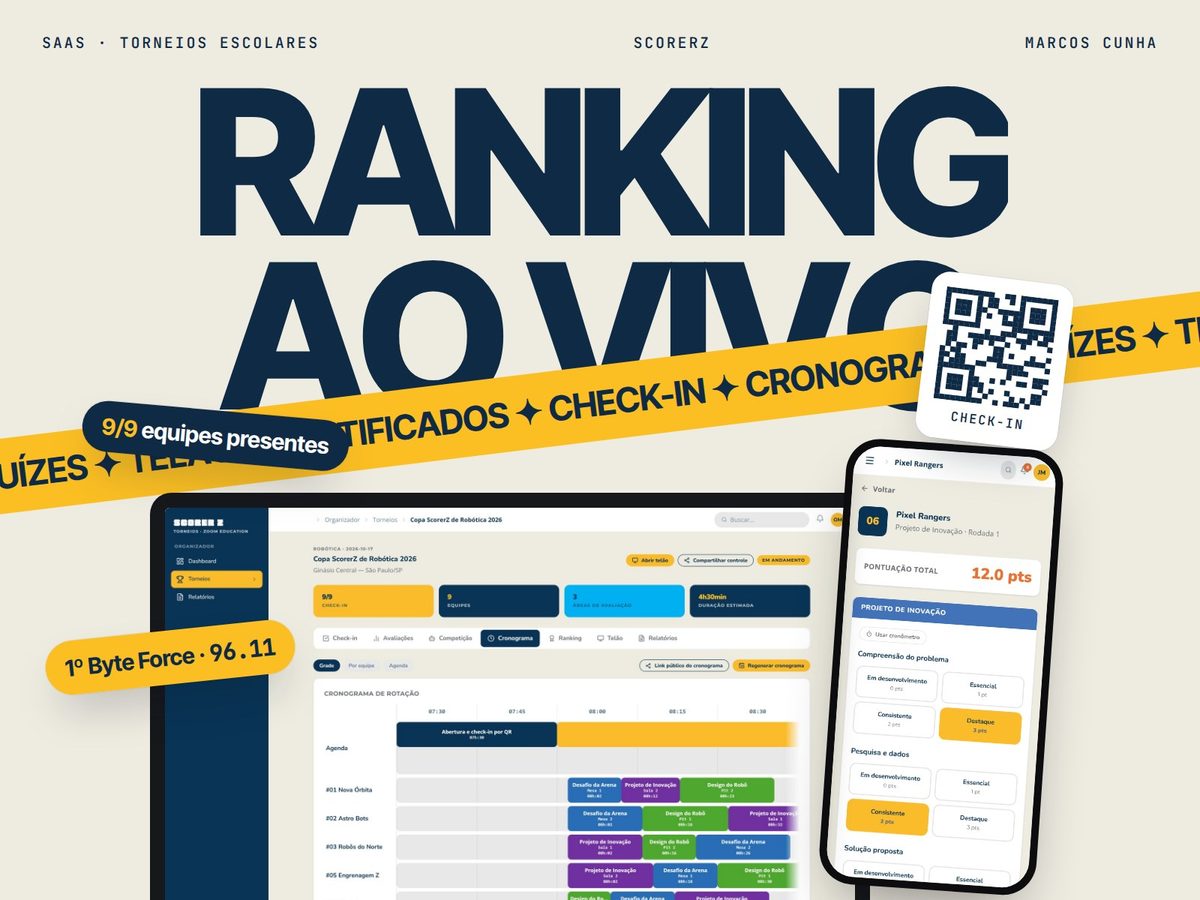
A platform for running school tournaments such as robotics competitions, designed from a survey of judges, coaches and organizers across Brazil.
- Year
- 2025 – 2026
- Role
- Creator, designer and developer
- Status
- Being tested in 3 schools
- Type
- SaaS • Education • Tournaments
The problem
- Robotics tournaments are usually run on spreadsheets and WhatsApp groups.
- Building schedules by hand makes teams miss their slot or end up in two places at once.
- At the tournaments I organize, we spent around 50 minutes just checking spreadsheets to close the scores, and a lost rubric meant judging the team again.
- Judges score under time pressure, and the audience only follows part of what is happening.
Discovery
ScorerZ grew out of the robotics tournaments I organize as a monitor and out of the FIRST Tech Challenge and FIRST LEGO League volunteer network I belong to, with organizers, judges and teachers from all over Brazil.
To decide what to build, I surveyed 17 people from that network: 12 judges, plus coaches, volunteers and competitors, 13 of them with more than 4 years of tournaments. Every new feature started from a pain point in the answers.
- named scheduling and timing as the most chaotic stage of a tournament
- 9 of 17
- have seen teams miss their match or room slot
- 10 of 17
- said pressure and lack of time between teams is what hurts judging the most
- 11 of 17
- can only partly follow the tournament in real time
- 14 of 17
Online survey of OBR, FLL, FTC and FRC judges, coaches, volunteers and competitors, May 2026.
“We lost all the final scores and notes because the software failed. Everything had to be redone in Excel.”
“I'd want it to organize the flow of matches better, showing the rounds and how urgent they are clearly.”
What it taught me
- 01The schedule is the root of the delays: when it fails, the rest of the event goes with it.
- 02Judges need speed and a way to correct mistakes, not more fields to fill in.
- 03Real-time information for everyone is worth as much as the right score.
The solution
ScorerZ brings five access profiles (admin, host school, coach, judge and public) into a platform that covers the tournament from setup to certificates.
Decisions
01A generated schedule, not a hand-built one
Schedules built by hand in a spreadsheet and announced over the PA and WhatsApp.
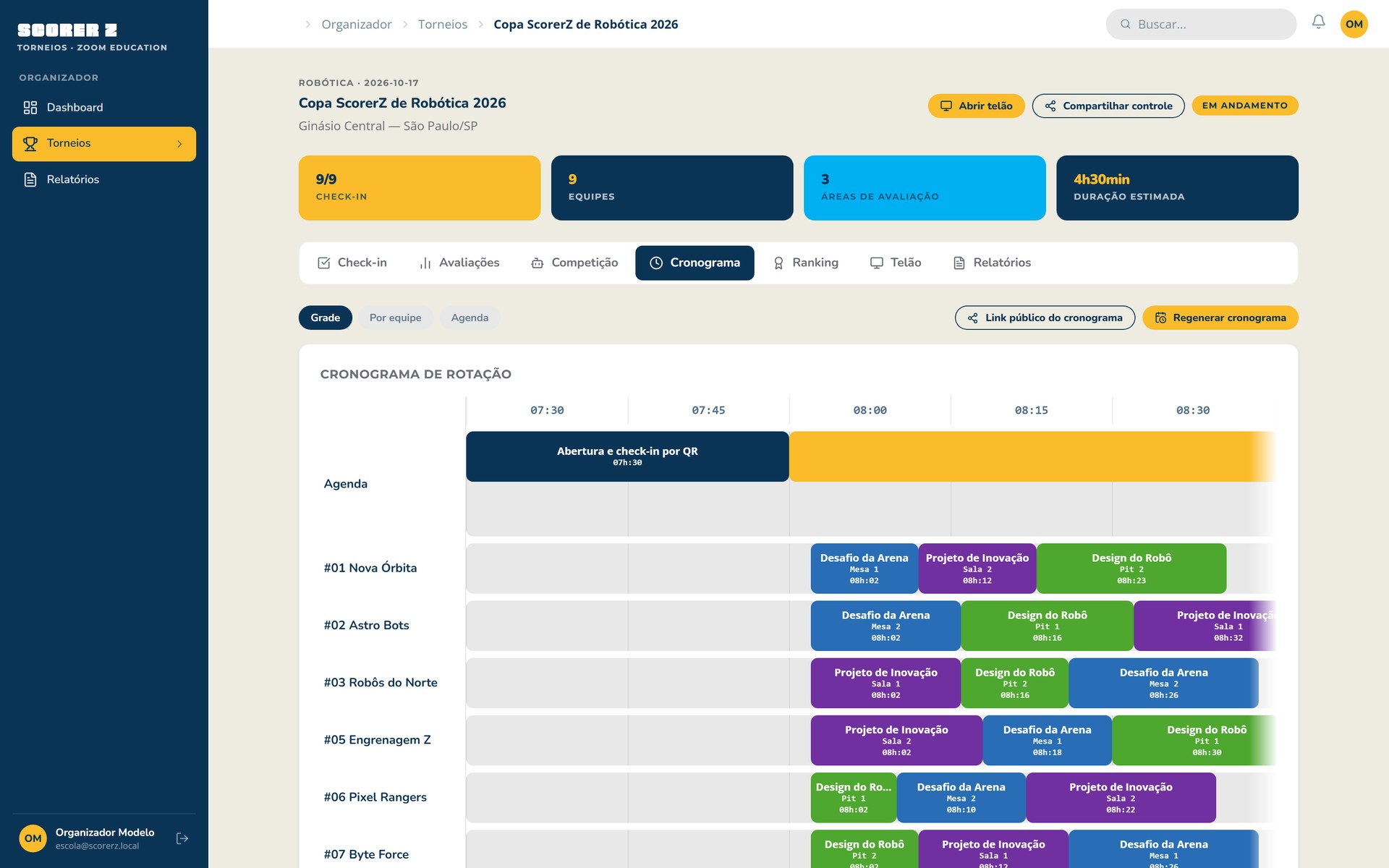
An automatically generated rotation: every team visits every area, with no time conflicts and respecting each area's number of tables.
Why: It was the most chaotic stage for 9 of the 17 people surveyed, and 10 had seen teams miss their slot.
02Rubrics on the phone, with editing
Scores on paper or in a spreadsheet, cleaned up later. A lost rubric meant judging the team again.
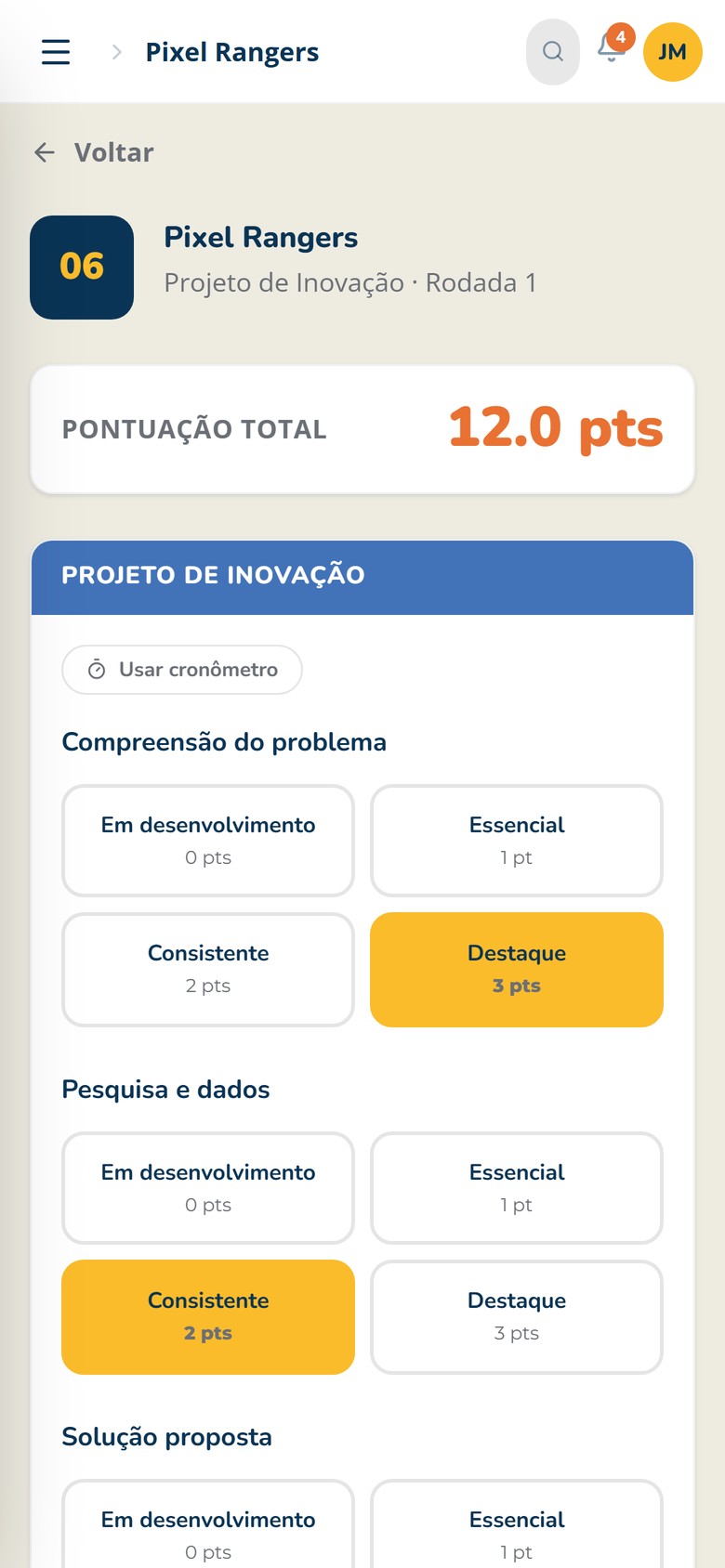
Judges score on their phones, by rubric, with the total added up instantly. After testing, evaluations became editable.
Why: It takes manual math out of the way and avoids lost rubrics. Editing was something the judges asked for during testing.
03One timer per evaluation
Every evaluation has its own timer, on the same screen as the rubric. Judges choose when to start it, and only they see it on the tablet they score on; the big screen shows a separate, general timer.
Why: 11 of the 17 people surveyed named pressure and lack of time between teams as what hurts judging the most.
04Everything comes together on the big screen
Information scattered across the PA, WhatsApp and screens that showed only part of the event.
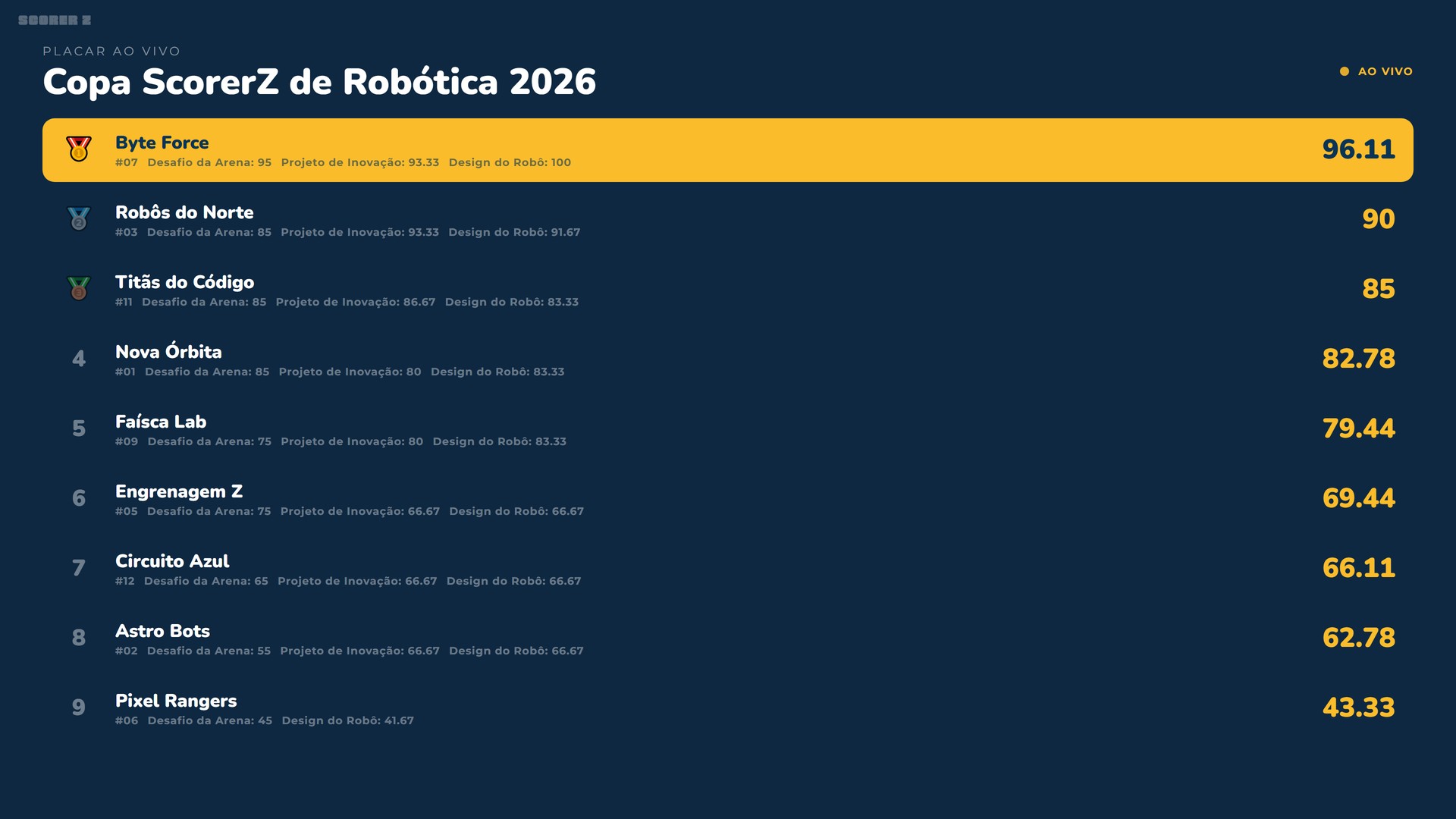
A synced big screen that brings together the schedule, the live leaderboard and automatically generated slides.
Why: 14 of the 17 people said following the tournament in real time is only partly possible. In testing, the automatic schedule and slides ended up converging on the big screen.
Screens
Features
Tournament setup
- Templates the admin distributes to schools, judging areas with rubrics, and divisions.
- Team import from Excel.
Automatic schedule
- A rotation where every team visits every area and is never in two places at the same time.
- Respects the number of tables in each area. The generator is written in SQL.
Event day
- QR Code check-in.
- Judges score from their phones, by rubric and in head-to-head rounds, with their own timer, editing and a live leaderboard.
- Synced big screen: several computers show ranking, schedule, auto-generated slides and music at once, with a PIN-protected remote.
After the event
- Mobile-friendly public schedule.
- PDF and Excel reports, auto-generated certificates and email notifications.
Results
- 2 tournaments run on the system, each with 20 teams, 8 judges and 4 judging areas.
- Scores consolidated in real time, instead of around 50 minutes checking spreadsheets.
- Being tested in 3 schools in Brazil's Northeast and Southeast.
Next steps
- Explore an offline mode: 7 of the 17 people surveyed said it is essential, given the unstable internet in gyms and schools.
- Bring the system to the 8 survey respondents who volunteered to test it.
My role
Creator, designer and developer
- Discovery survey with the robotics volunteer network.
- Database modeling and per-profile security rules.
- Front-end and interface design.
- Testing and deployment.
Stack
- React 19
- TypeScript
- Vite
- Tailwind CSS
- React Router
- Supabase
- PostgreSQL + RLS
- Auth
- Realtime
- Storage
- Edge Functions
- jsPDF
- ExcelJS
- html2canvas
- QR Code
- Resend
- Vitest
- Testing Library
- Playwright
- CI
- Vercel